Lufthansa iCrew
Designing a smart watch assistance to help air crew members optimize their in flight processes, improve communication between the crew members, and to ease the pressure by helping manage their tasks
Process
Contextual inquiry, UX research, wireframing, UI prototyping
Duration
6 weeks 2019
Team
Abhijith Krishna
Beatriz Vargas
Tools
Figma
Overview
CONTEXT
Working as a cabin crew member implies expending a lot of energy and following strict protocols. Over the course of a flight trip, they have to maintain efficiency in long hours of service on flights, adjust to ever-changing time-zones, and repeat this, sometimes, with very little time between journeys. Cabin crew members, being working tourists, have long been ignored in the development of their work environment, something that has not changed in a long time. To aid them in their jobs, we have envisioned a smartwatch based technology that each member uses throughout the flight.
CHALLENGE
HOW MIGHT WE USE EXISTING TECHNOLOGY TO IMPROVE COMMUNICATIONS BETWEEN CABIN CREW AND INCREASE EFFICIENCY OF CABIN OPERATIONS?
SOLUTION
iCrew is a smartwatch application envisioned for cabin crew members of Lufthansa. The application aids them throughout the timeline of the flight, by improving interactions between cabin crew members and reducing communication time; acting as an organizing assistant to make the process of foodservice and luggage onboarding faster and hassle-free; providing a system of co-ordinated breaks; all put together and automatically prompted from a dynamic flight timeline.
ASSUMPTIONS
This product is placed along with a few speculated products, which could be installments in flights. This involves all flight equipment to be connected over IoT, giving constant feedback of status; sensors, attached to the seatbelts to know if they are buckled or unbuckled; sensors, installed within the overhead luggage compartment to know how much space is left in the compartment; A local GPS that tracks the position of the watch within the flight.
Solution
KEY FEATURES
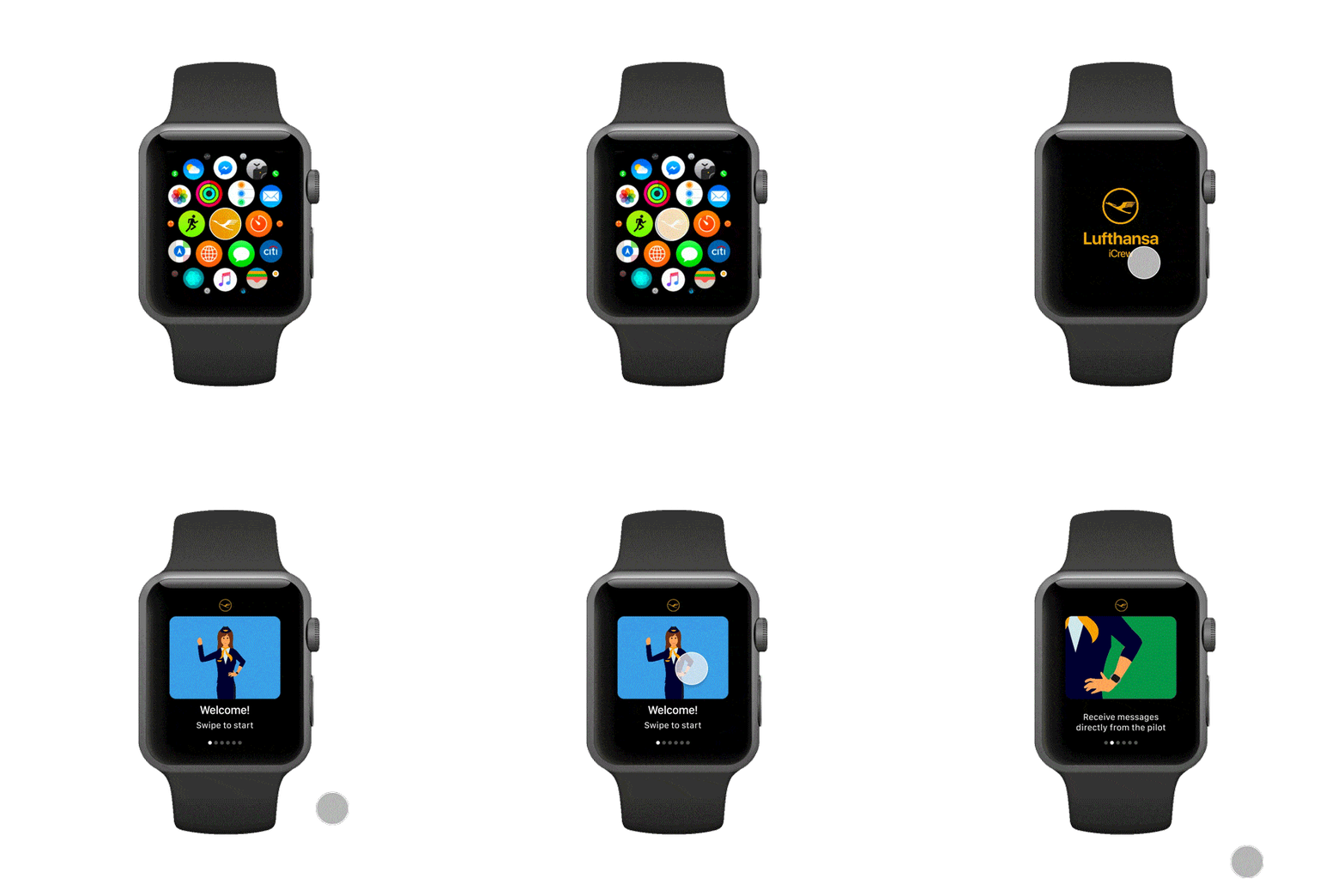
Onboarding screen

First-time users can see an overview of the features that the application provides
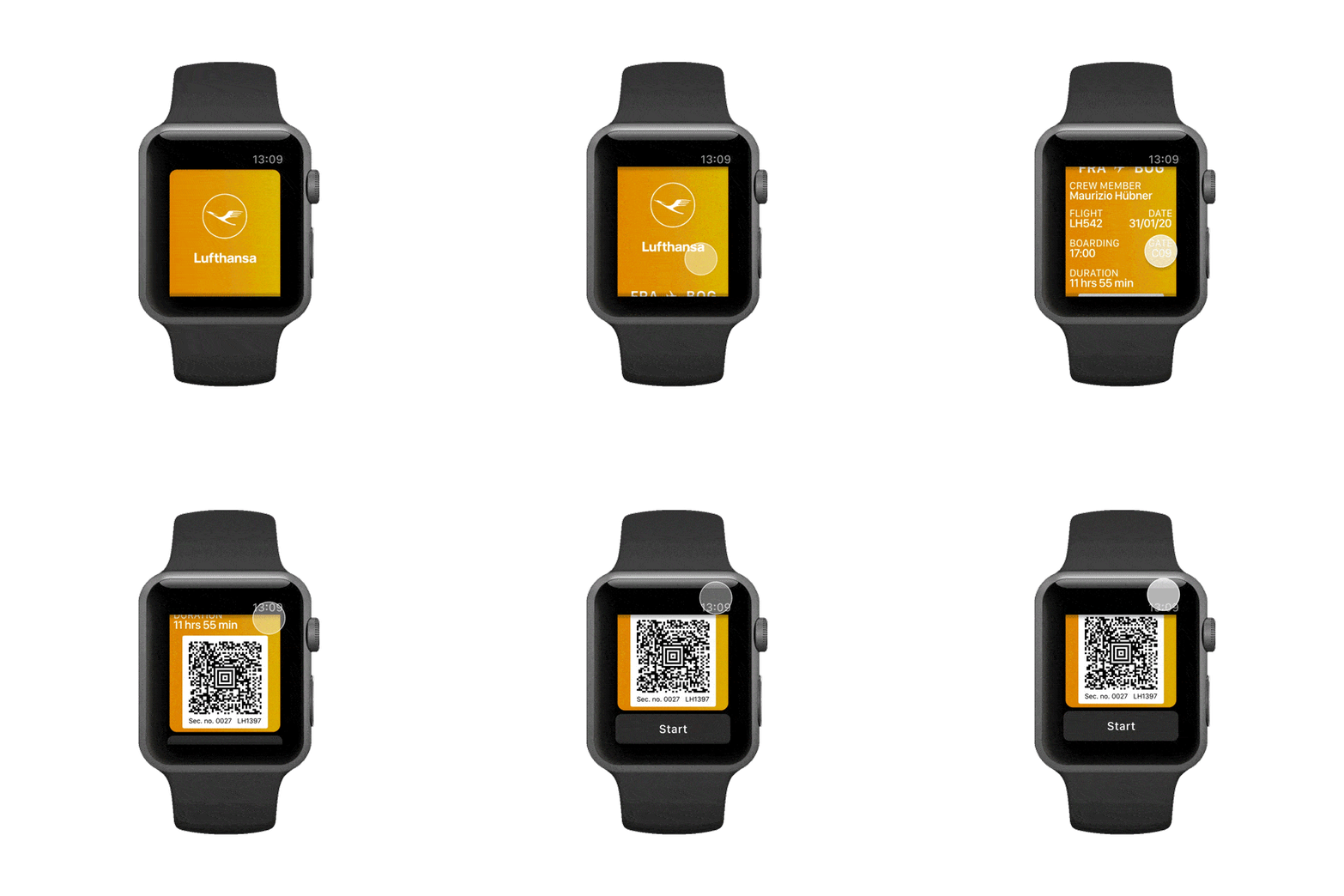
Flight summary

Access your boarding pass and check the next flight information and time
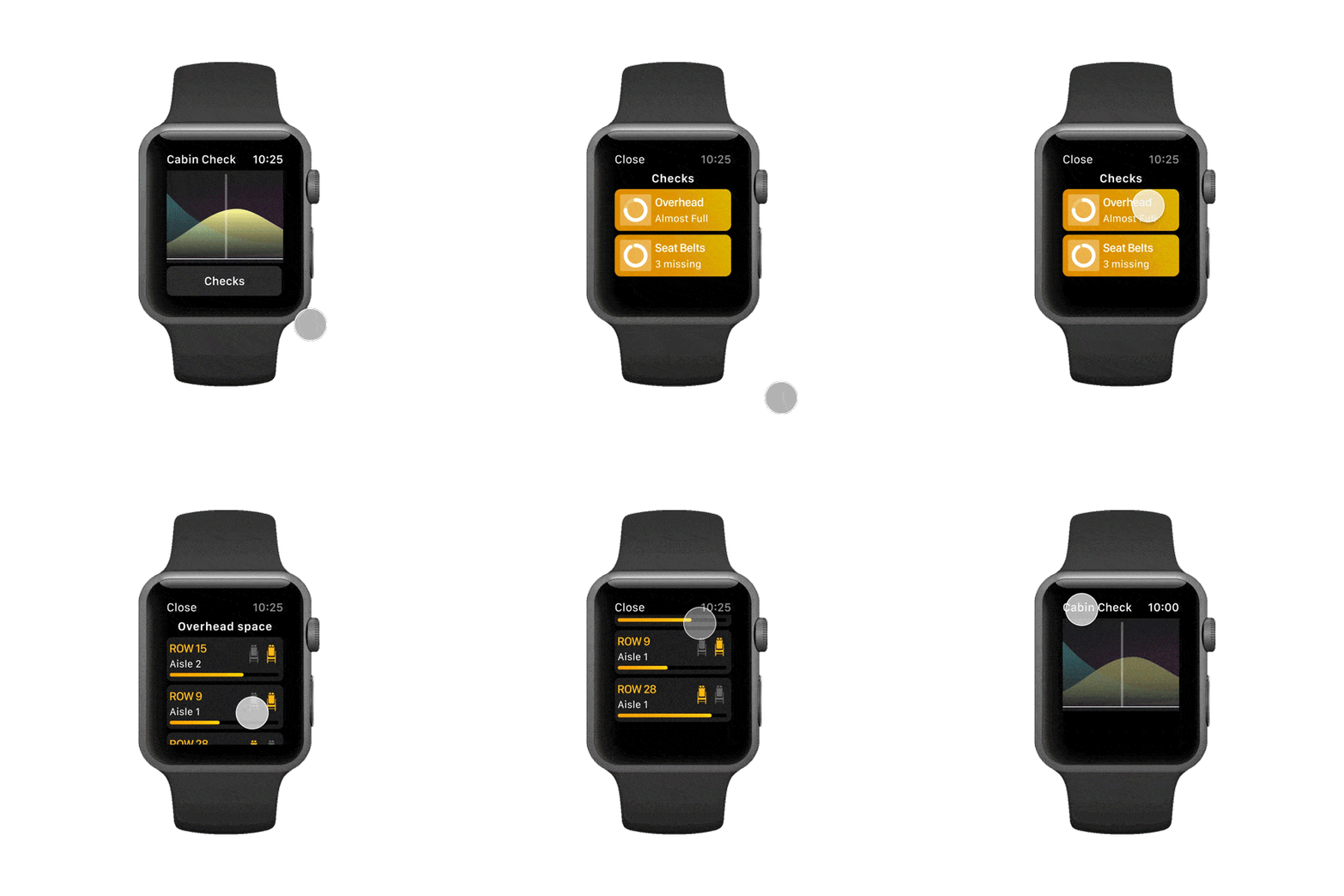
Overhead Luggage

See which overhead luggage compartment still has space for another passenger's bag
Meal service

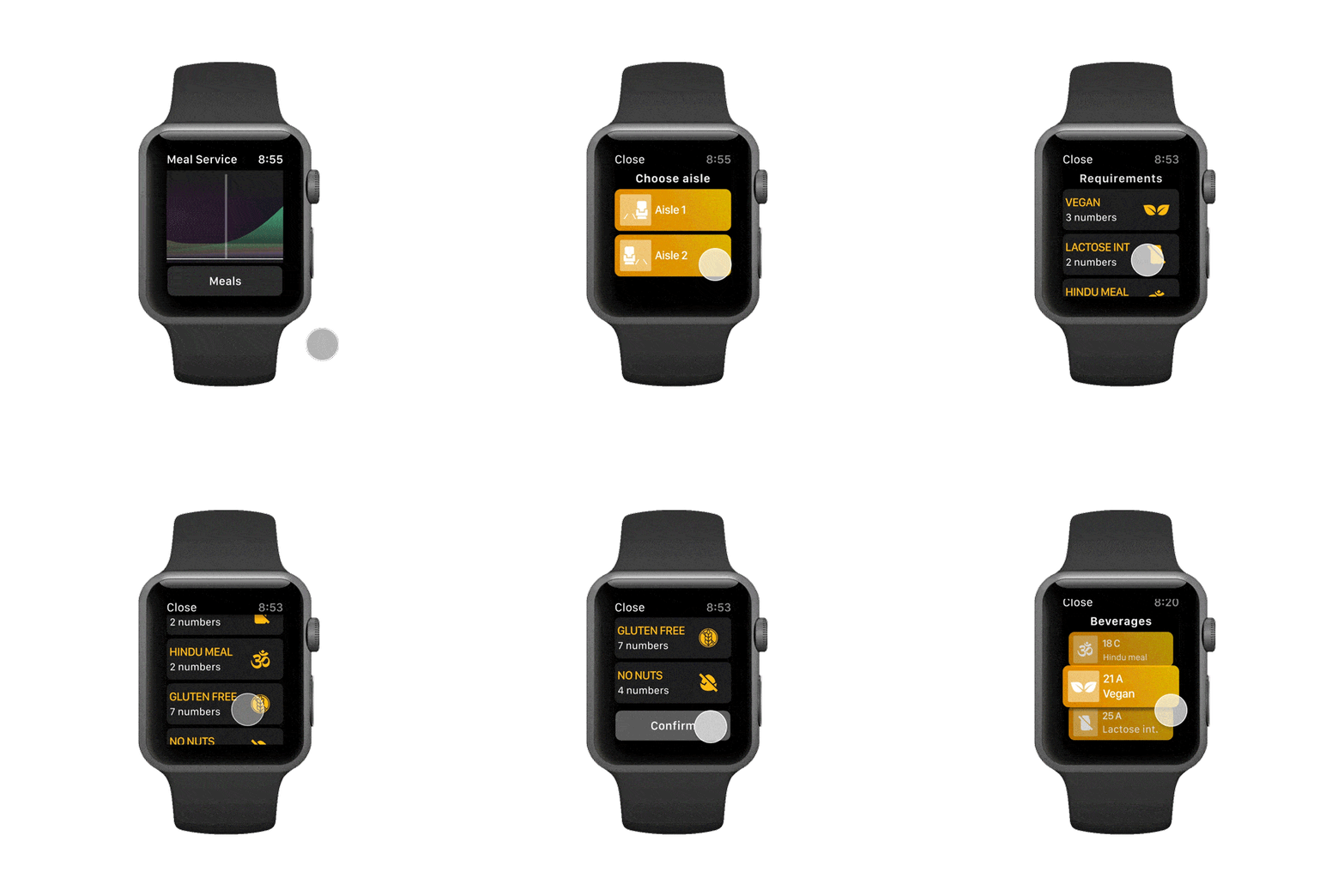
Choose the aisle you are serving and get the right number of meals to carry based on passenger data
Drinks service

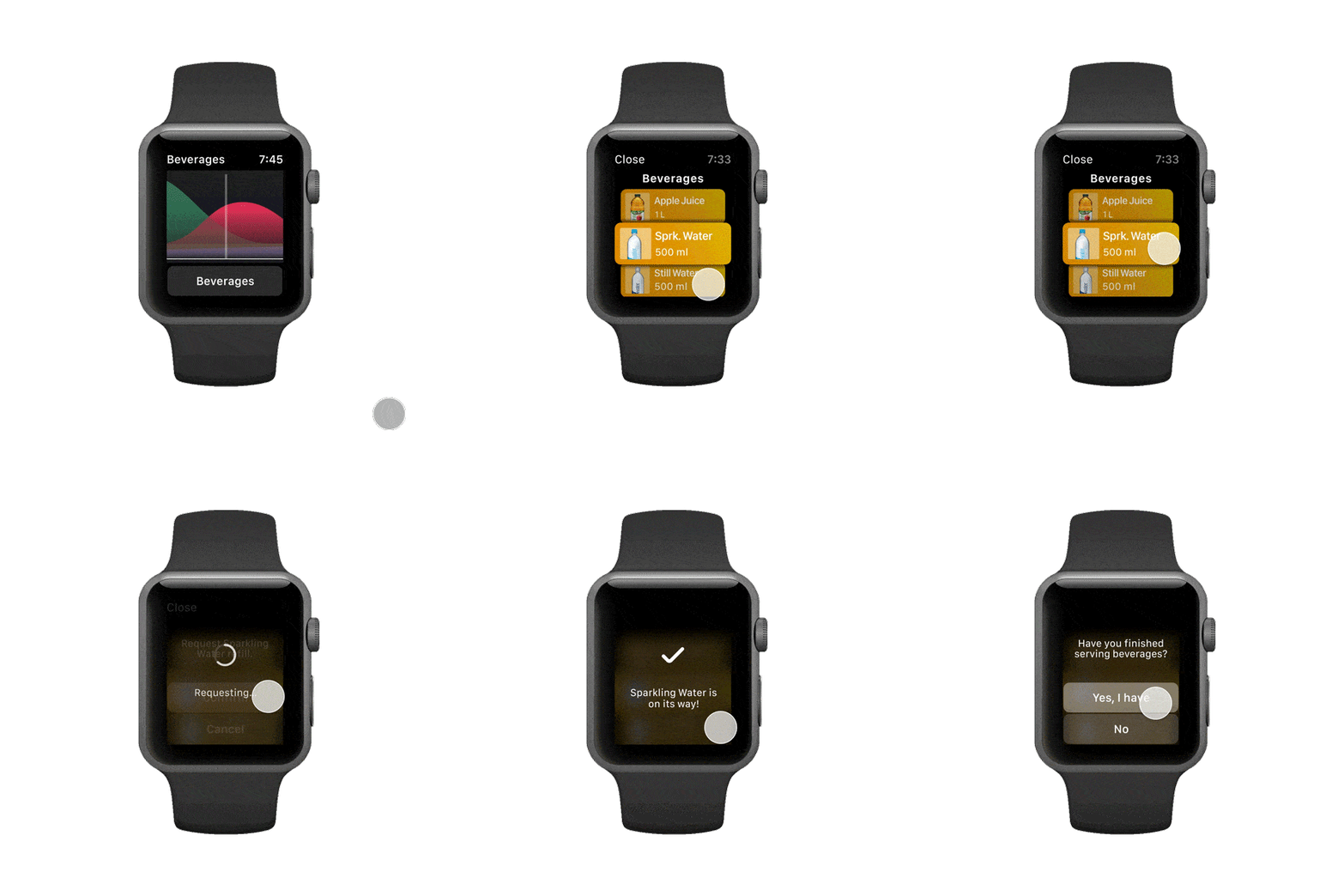
Out of wine? Remotely request a new bottle from a crewmate while you continue to serve
Breaks

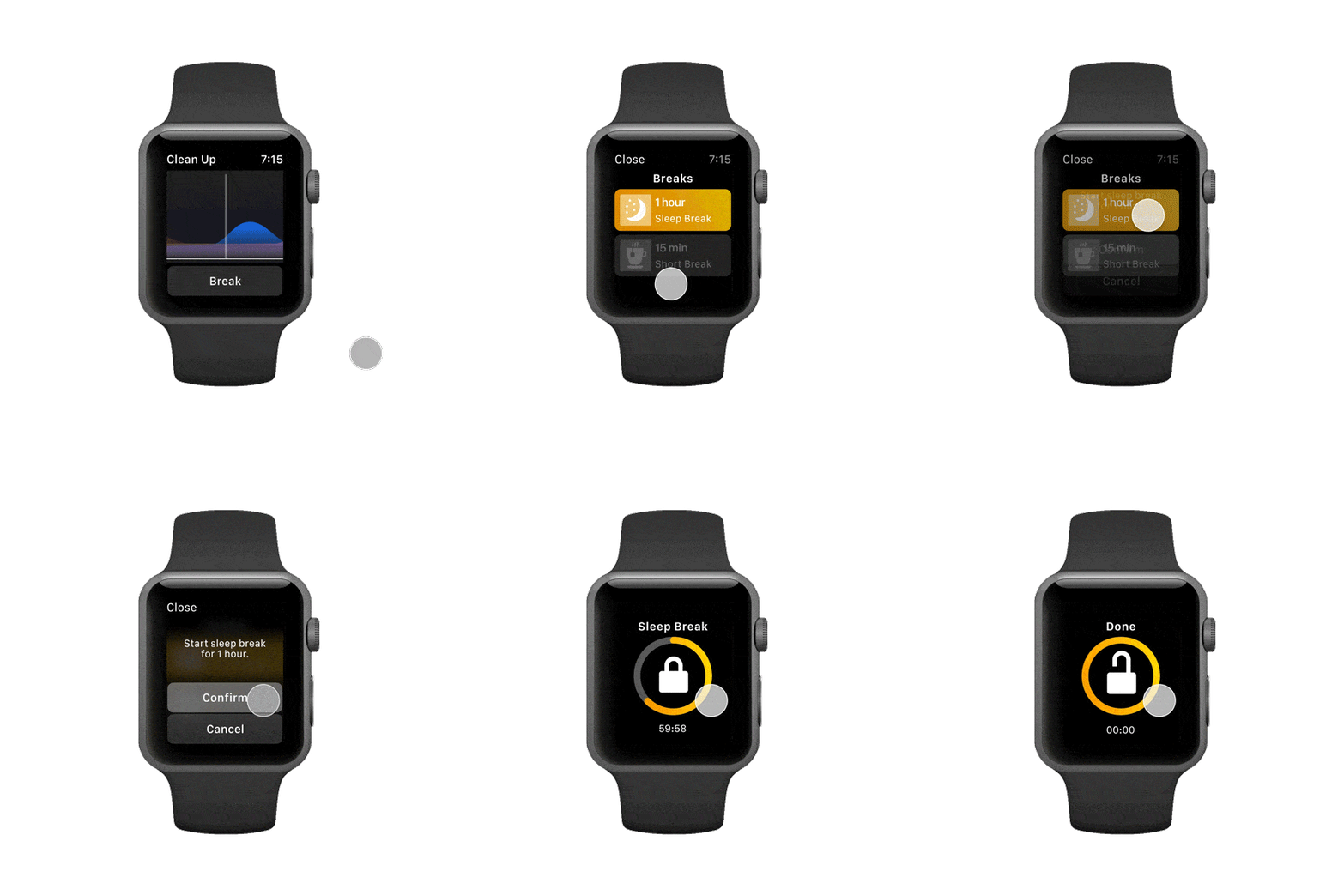
Rest the right way. Choose your break slot and get all passenger calls diverted while at it
Messages and Emergency

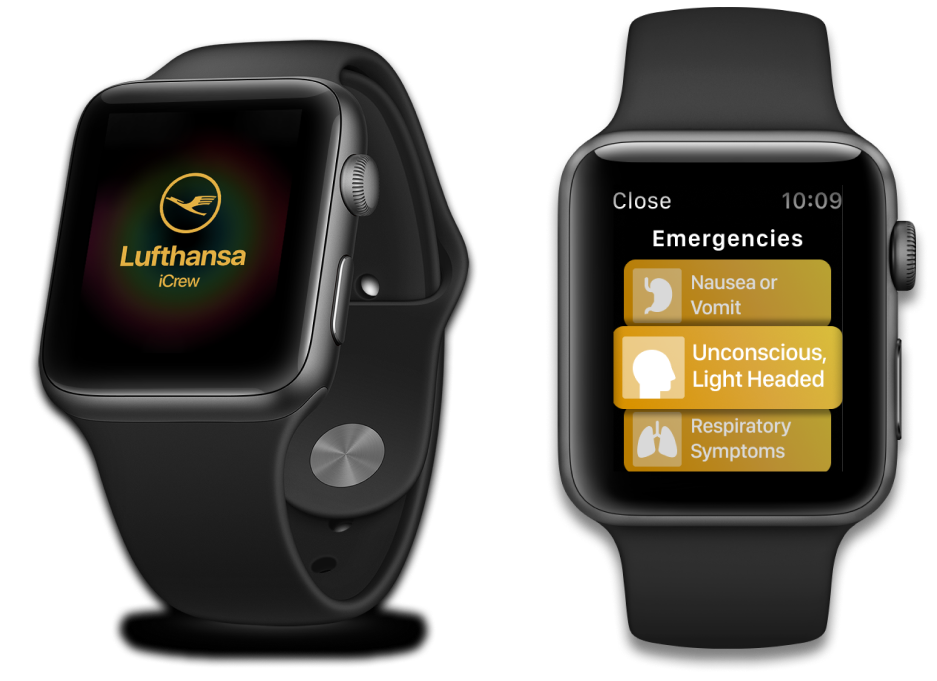
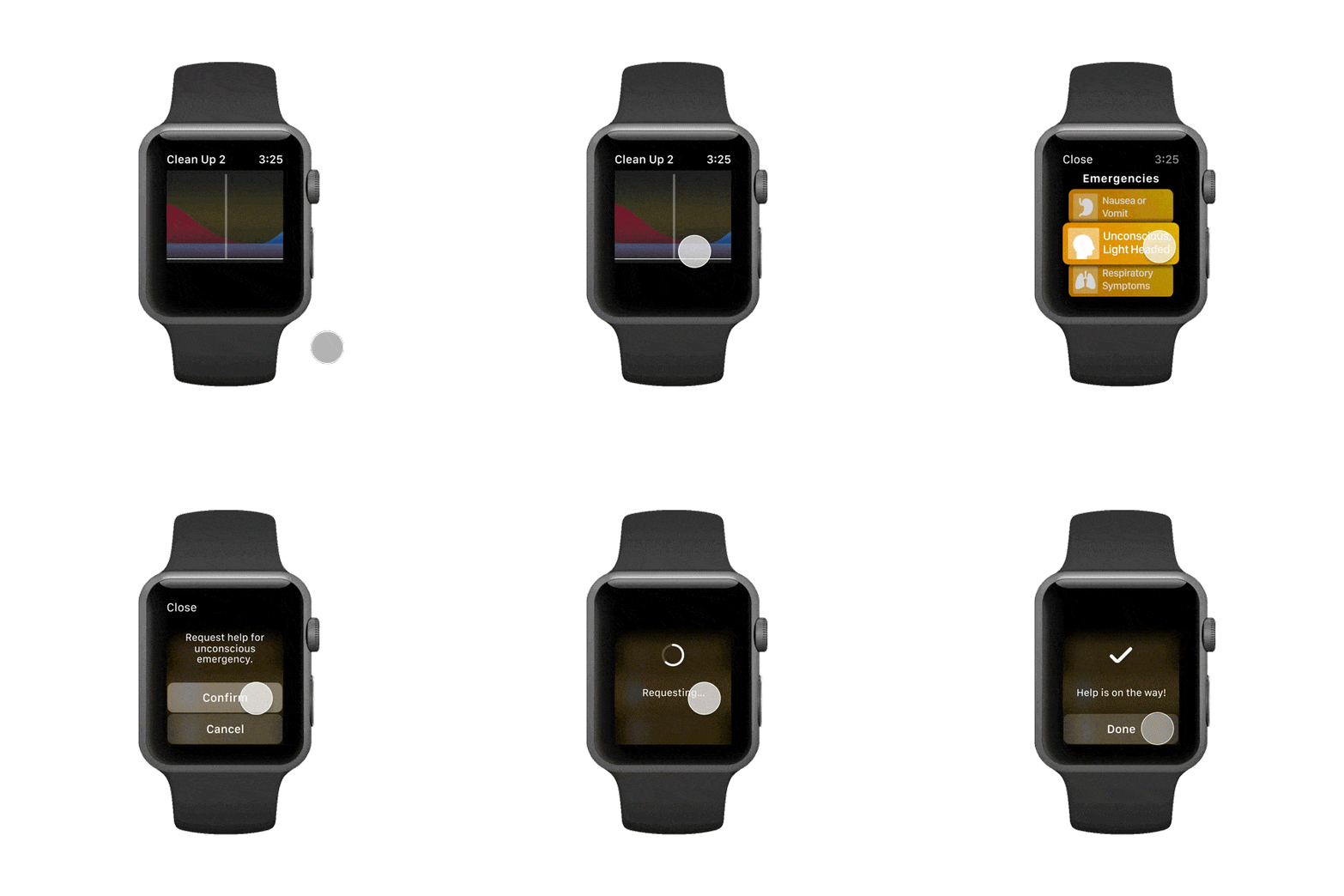
Swipe from the top for notifications from the pilot. Long press to quickly call for help
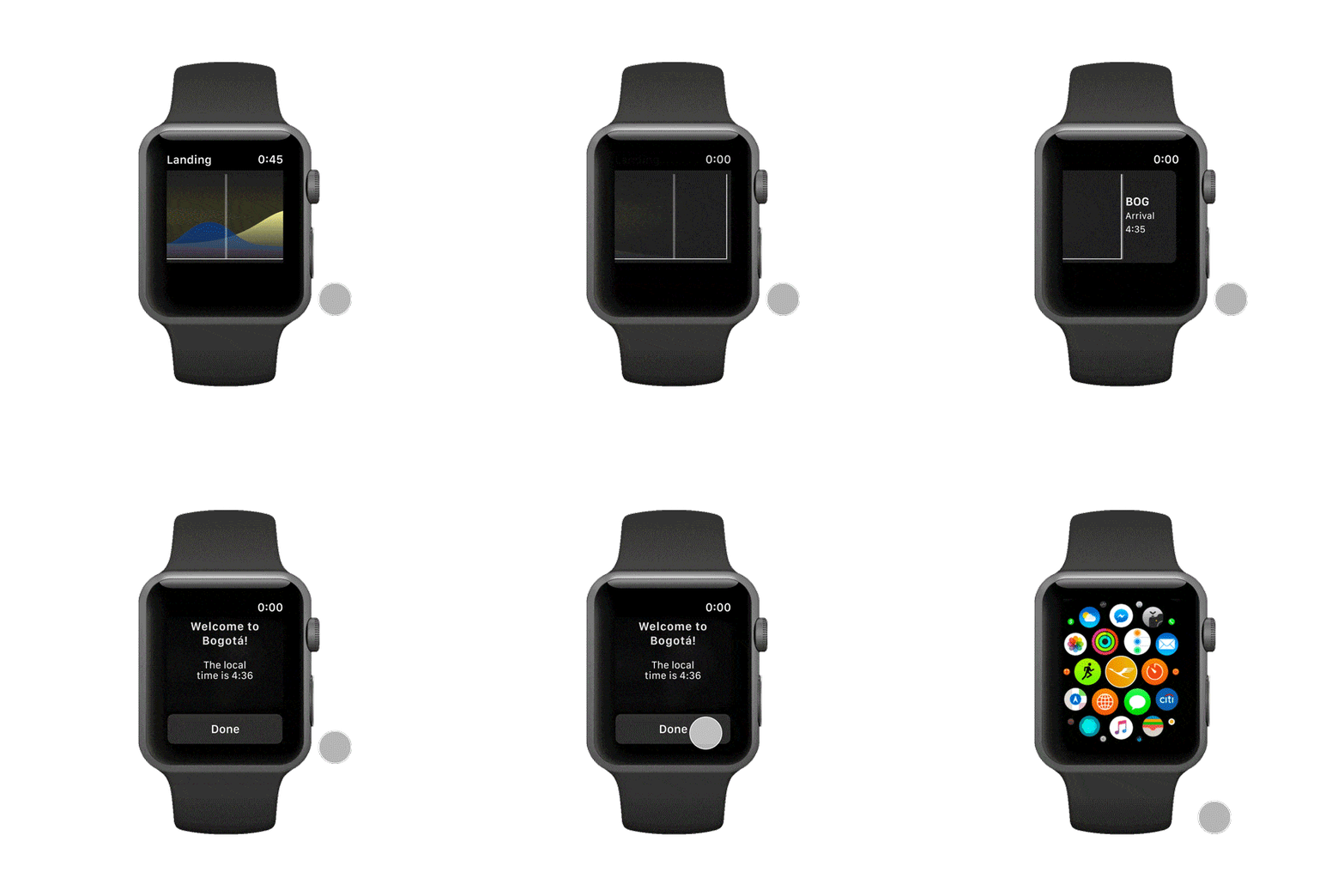
Landing

Check the destination and current local time. See you next time.
Live flight Timeline

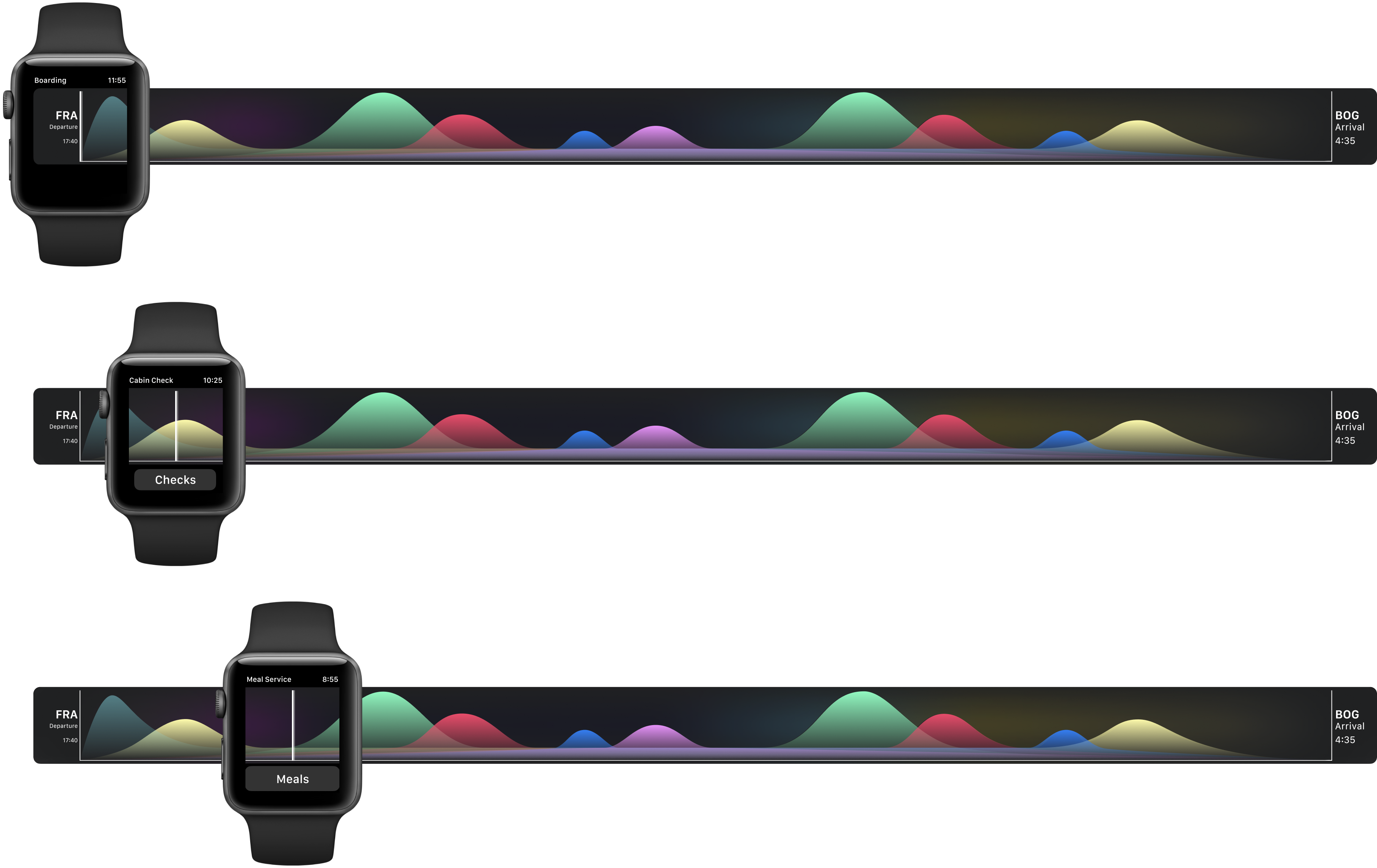
The features show up on the below timeline, which acts as a substitute for the home screen. As per the flight schedule, the watch shows the current status, time of flight remaining, and the tasks can be accessed from this timeline
Research
BUILDING
CONTEXT
This project was built as a part of an Application Design course, the brief of which was to design a travel application. After an initial brainstorming session about technologies, contexts, users, and problems, we found an untapped potential in aircrew members as a user group to work for, since they are one of the stakeholders in the travel industry for whom there hasn't been much development in terms of new services and products
AFFINITY
MAPPING
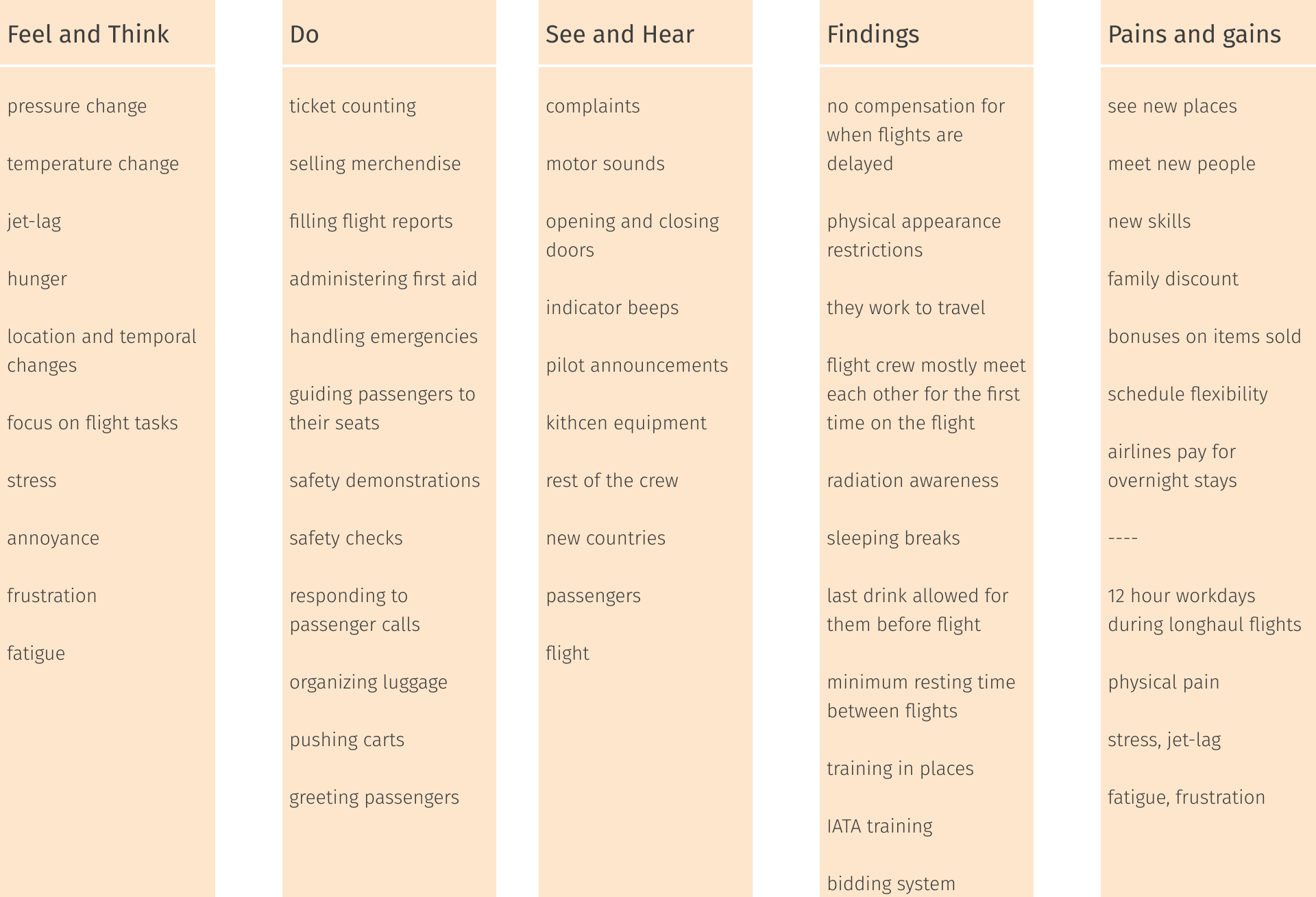
To have a holistic understanding of the air crew's routine, we started by writing and mapping every aspect of experience related to their work, based on secondary research
INTERVIEWS
We conducted a few interviews with pilots and flight attendants to both validate our secondary research and to gain new information and insights
Pilot

- Pilots sleep during long overhaul flights
- Last drink policy 12 hours before a flight
- Pilots/cabin crew use a “bidding system” to decide what flights they get. Bid with priority, and seniority means better flights. Every airline has a different bidding system
- Fatigue is a big issue
- Cabin crew are unlicensed, so they don’t have legal responsibilities
- Pilots and especially cabin crew have specific appearance/makeup codes
Flight Assistant

- 24h layovers
- Resting time
- Not a lot of “free” time
- System for bidding
- Health issues related to stress
- Pilots and flight attendants have different rules
- Looking for recommendations
- No apps known for flight attendant
USER JOURNEY
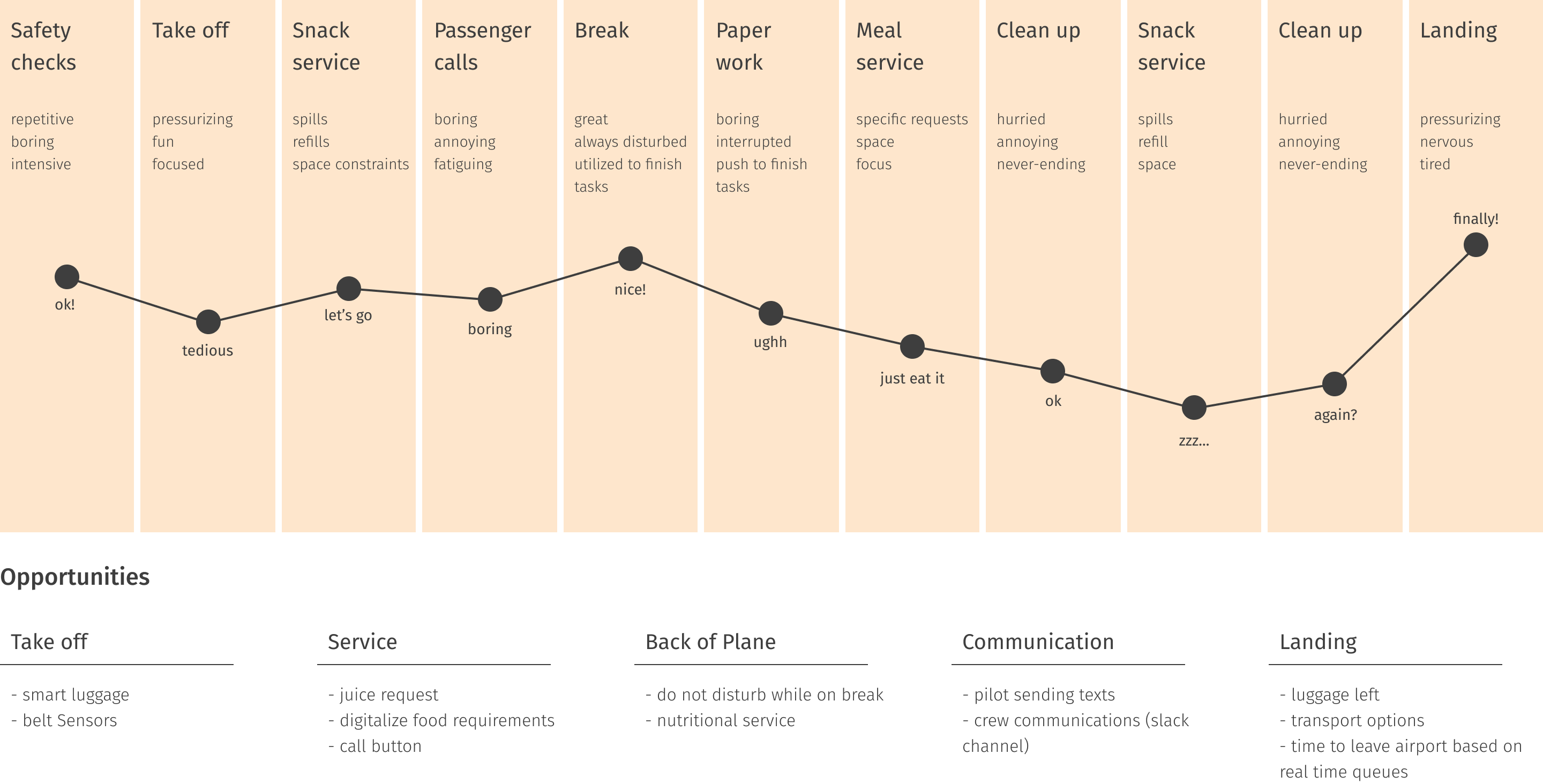
To build empathy with our users, we worked with them to understand and map out the moods and emotions they go through doing the tasks assigned to them during a flight
PAIN POINTS
We listed all the pain points and categorized them based on how actionable and pressing the pain points were

To solve - luggage organization, breaks - do not disturb, serving special meals, crew requests, pilot communications

Solvable - amenity kits, passenger requests, call bell

Not solvable - cleaning toilets, locating seats, passenger conflicts, boarding mix-ups
Design
FINAL CONCEPT
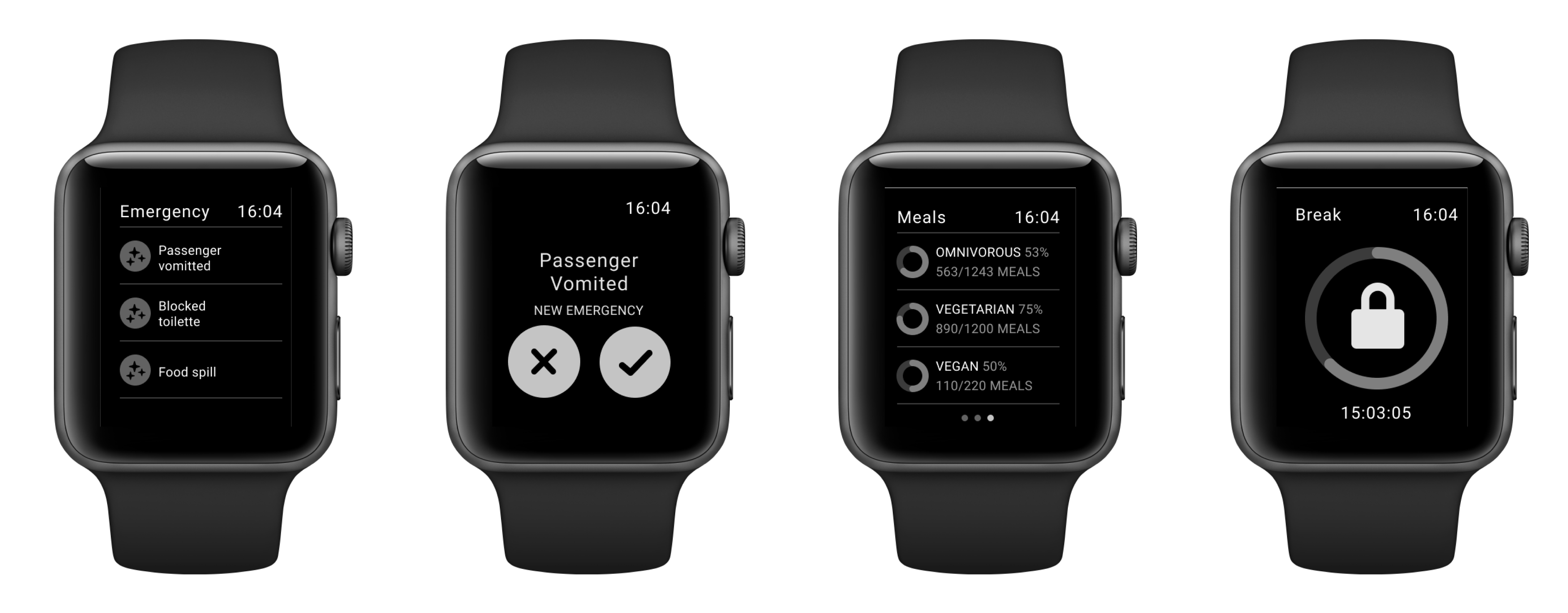
Design a smartwatch application powered by data from a flight, to aid cabin crew members to serve passengers in the best way possible
INFORMATION
ARCHITECTURE
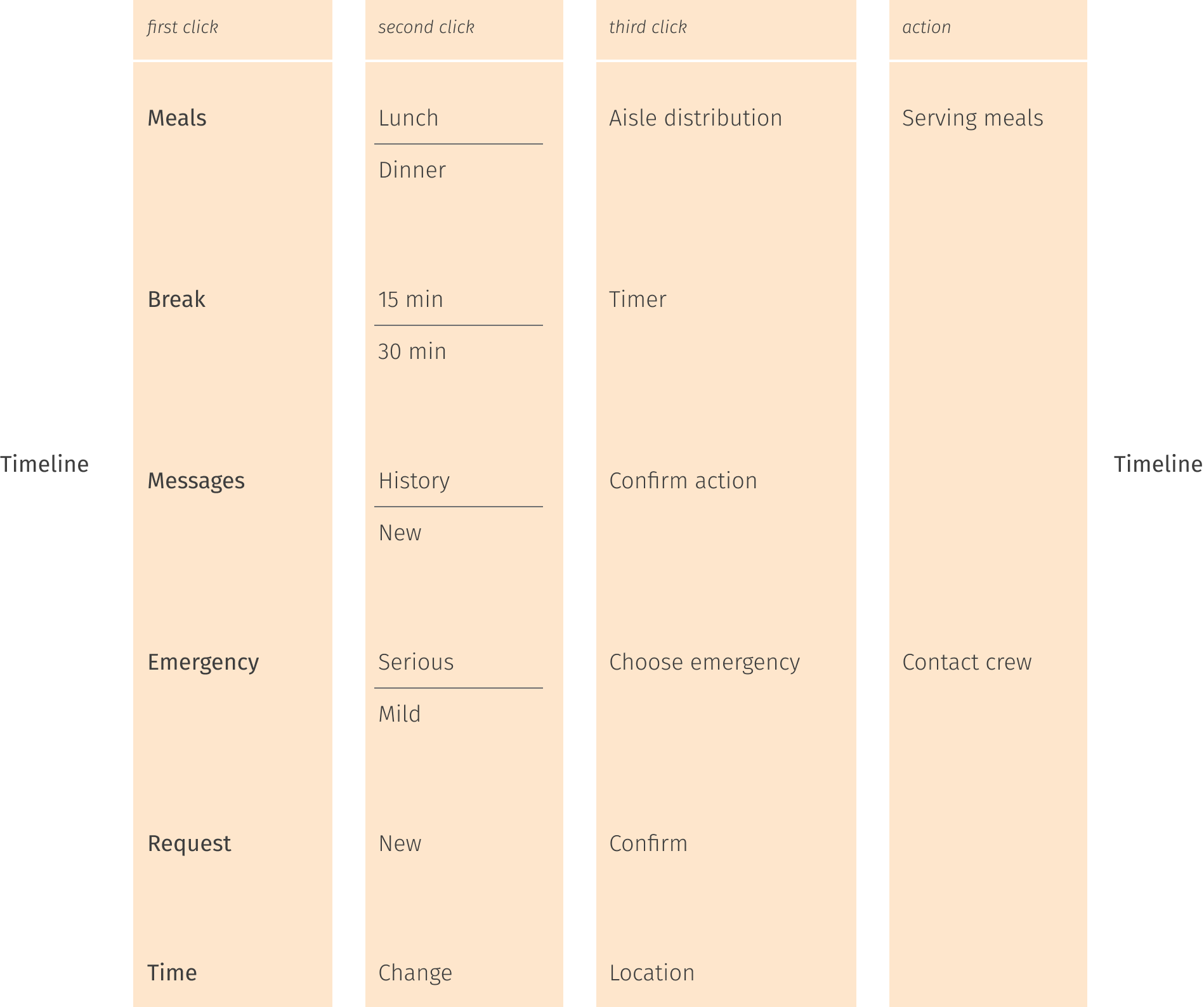
As explained in the key features section, the app design does not consist of a home screen with menu options. Rather, it opens to a live timeline of the flight, which begins as the flight begins, and options for the different features show up as per schedule. Hence all tasks begin and end back at the timeline. Features like emergency help and crew messages can be accessed by a long press and swiping from the top respectively

The architecture went through multiple iterations to make sure that the number of options available to the crew were minimum, and so that each interaction end-to-end would take a maximum of 5 seconds
WIREFRAMES
Based on the information architecture and the content needs for each screen, we tried drawing up wireframes, giving it its first look
ATOMS AND
MOLECULES
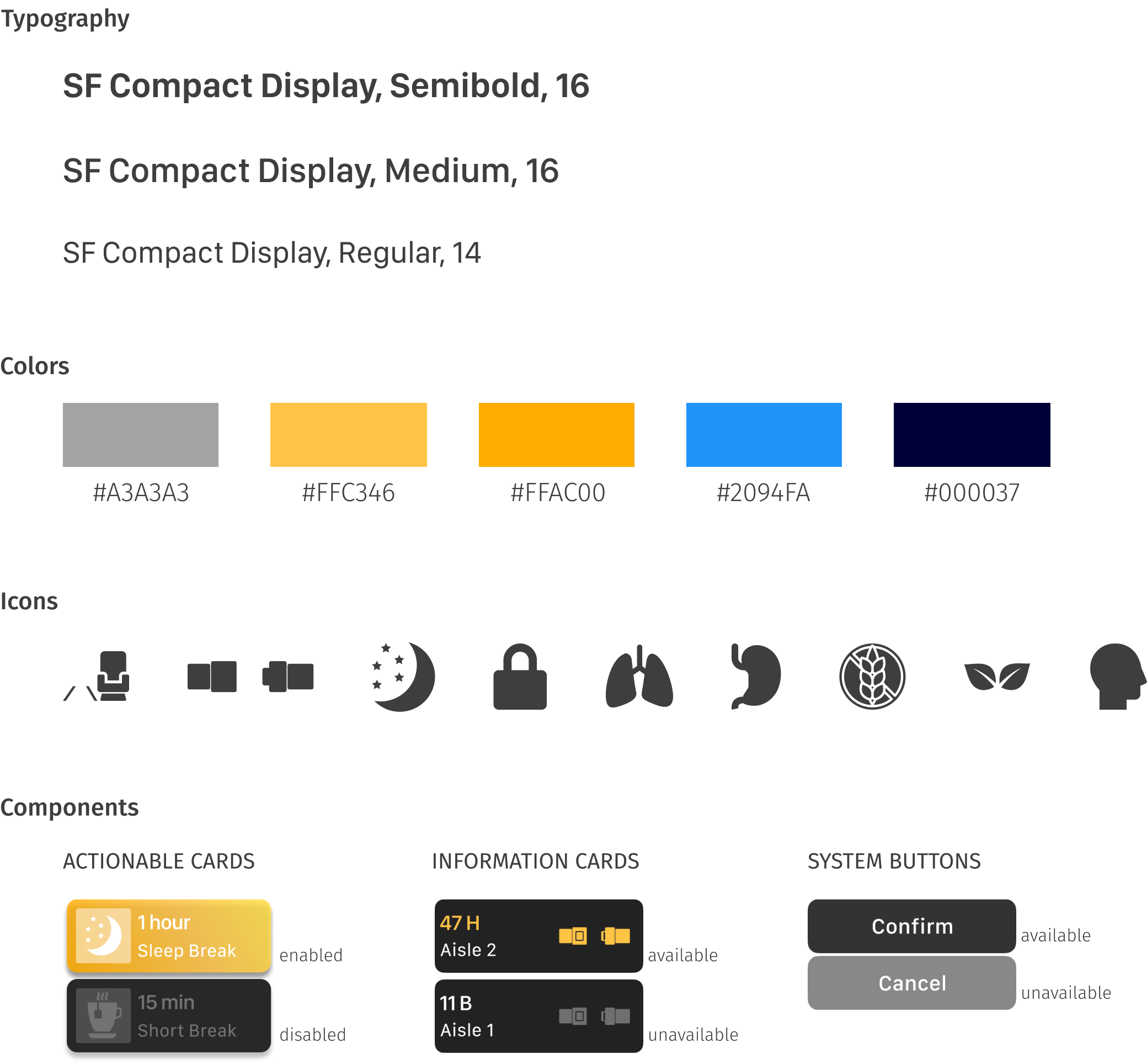
These are the chosen and designed style components that build up the application and give it a consistent look and feel.
LOOK & FEEL
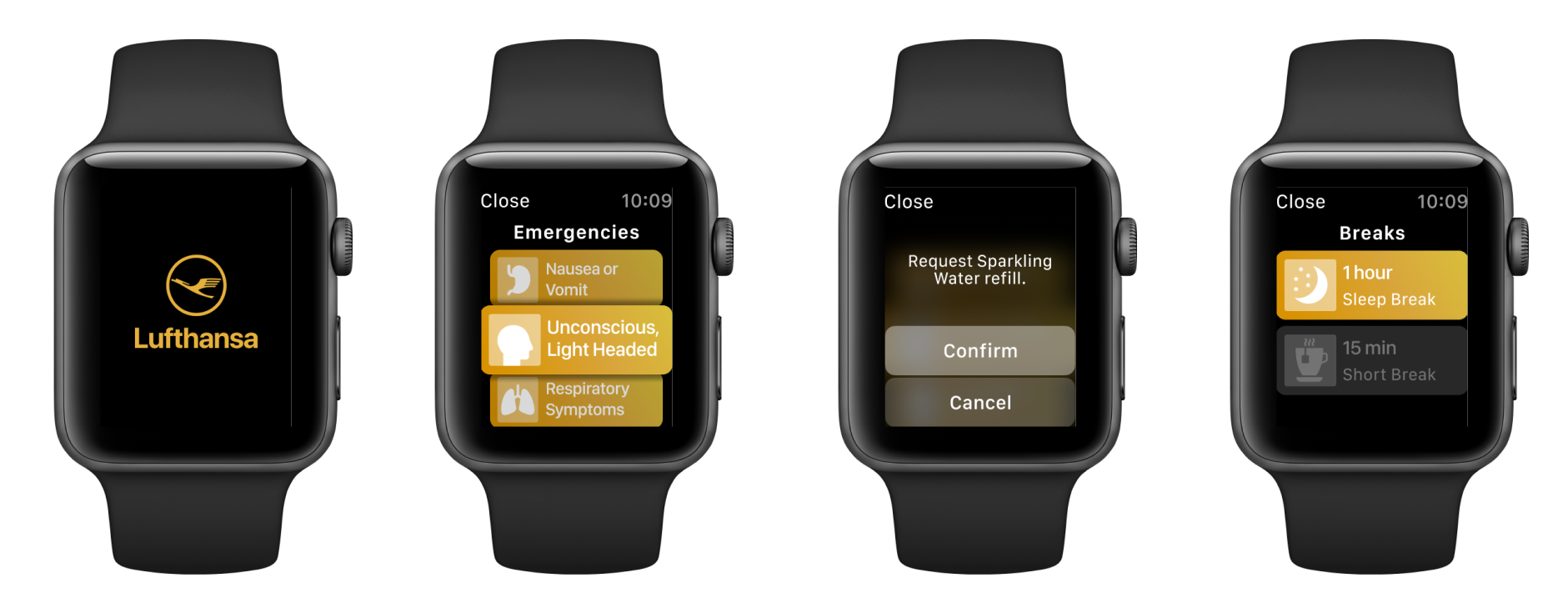
The components were put together with the content and information structure. Below is the look and feel of the application.
Conclusion
TAKEAWAYS
This project was a great opportunity to work with a user group I would've otherwise not interacted with. The project made us think about and uncover real needs that aircrew members face and design delightful experiences for a product that would add immense value to their everyday work. The challenge of designing for an interface like a smartwatch was quite stimulating and pushed me to learn the theories of WatchOS design systems and take it to implementation.
FURTHER
LINKS
You can view and interact with the final prototype here

To read more about the project, you can view and download the documentation here